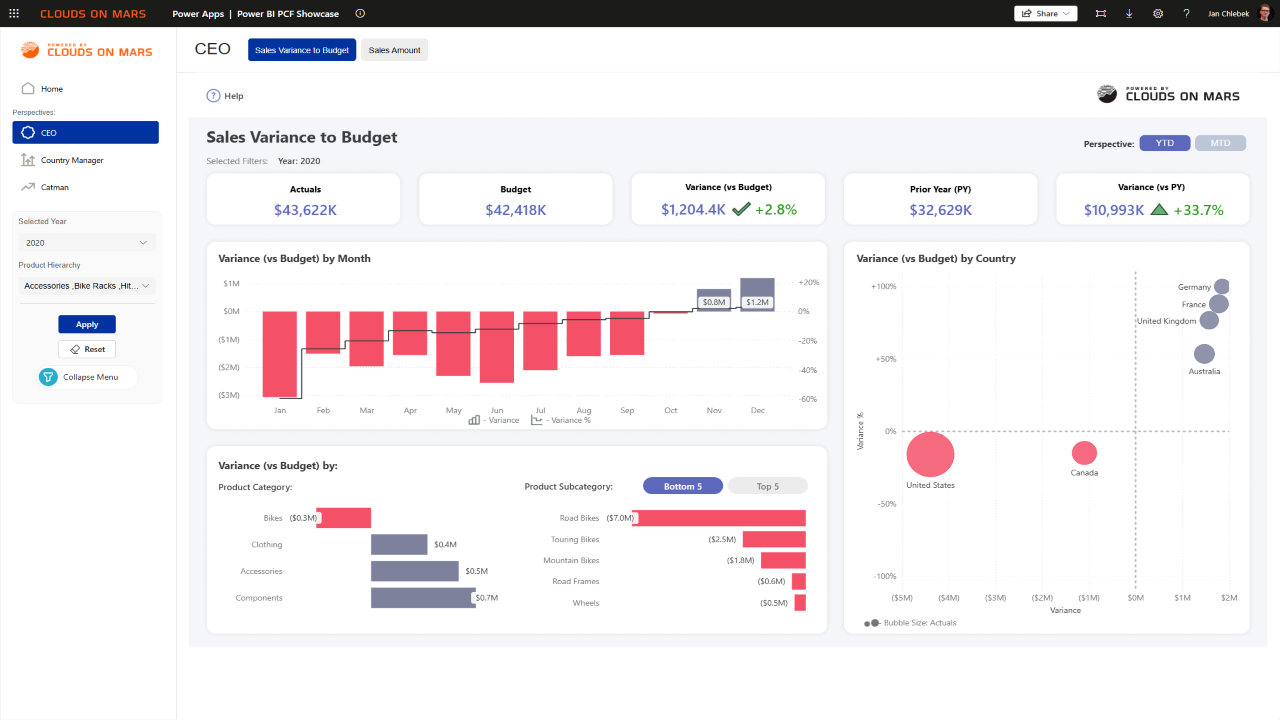
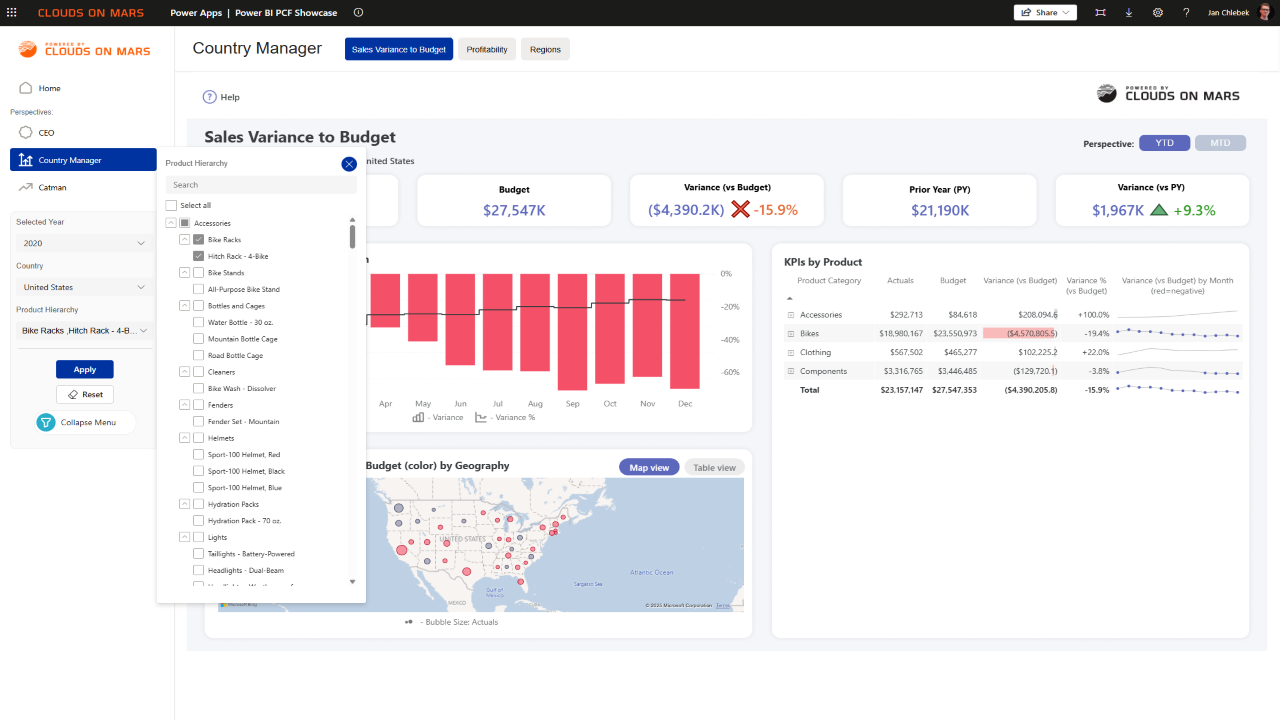
Optimized embedding
Lean initialization, reduced overhead, and reuse of previously loaded resources keep your users in the flow. This reduces time to first insight and minimizes flicker or stalls that can undermine confidence in analytics.
Preparing your Clouds on Mars experience
A Power Apps Component Framework (PCF) control that embeds full Power BI reports with the official Client API. Achieve faster navigation, richer filtering, reliable token renewal, and programmatic events that connect analytics to your app workflow.
Explore the benefitsBusiness impact in days, not months
Deliver near‑native Power BI speed inside Power Apps, reducing perceived latency on every click and refresh. Faster response times translate directly into more completed tasks and higher user satisfaction.
Move between report pages without full reloads, preserving context and selections. Navigation feels continuous, reducing frustration and improving operational throughput.
Apply complex, programmatic filters without URL length limitations to target exactly the insights you need. Personalized filtering persists across interactions to support consistent decision‑making.
Leverage the browser cache to deliver a snappy, modern UX with minimal wait time. Faster feedback loops drive higher adoption and repeat usage across business teams.
Show or hide filter and navigation panes to match each step of your process and role. Present only what’s necessary to guide users, reduce cognitive load, and increase confidence.
Keep sessions alive securely so work continues uninterrupted during peak activity. IT benefits from a robust pattern that aligns with enterprise authentication policies.
Engineered with the Power BI Client API
Lean initialization, reduced overhead, and reuse of previously loaded resources keep your users in the flow. This reduces time to first insight and minimizes flicker or stalls that can undermine confidence in analytics.
Switch pages, toggle panes, and tailor the canvas without reloading the report surface to create task‑specific experiences. The result is a streamlined journey that reduces clicks and helps teams complete work faster.
Apply complex filters programmatically, free from URL length limits imposed by tile controls. Consistent filter behavior leads to repeatable analysis and decisions that stakeholders can trust.
Automatic renewal patterns keep users authenticated without disrupting their workflow. Business users remain productive while IT retains control over security posture and compliance.
Listen to report events such as pageChanged or filtersApplied and trigger app logic instantly. Tie analytics to business actions (e.g., auto‑populate forms, navigate users, or log telemetry) with predictable hooks.
Persist and restore user context using bookmarks and filter state. Provide continuity across sessions or stages in your process without re‑teaching users how to find their view.
Simple flow, dependable control
Use Entra ID to obtain an access token (user‑owns‑data) or a service principal token (app‑owns‑data). The control accepts a valid embed token and report configuration.
The Power BI Client API mounts the report in the canvas. Initialization options configure page, filters, and UI panes for a tailored starting point.
Programmatically switch pages, apply filters, and subscribe to events. Keep tokens fresh and surface telemetry for reliability and UX improvements.
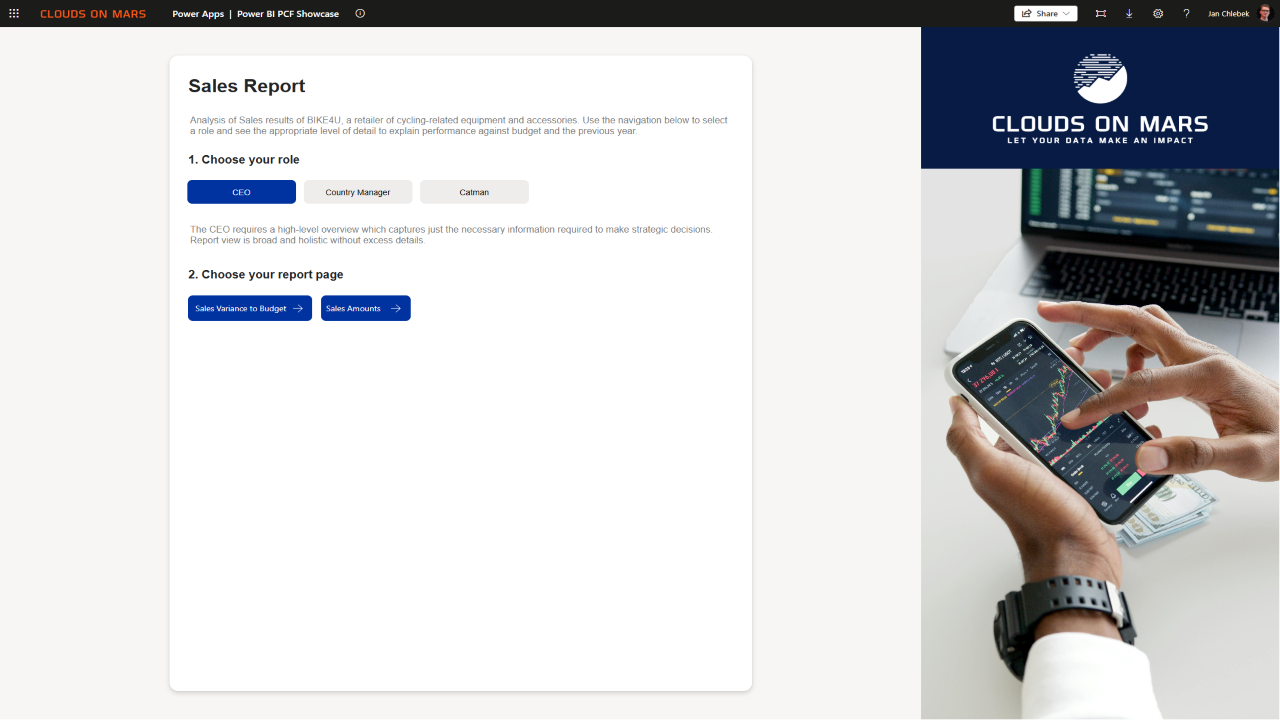
See it in action
// Embed report
const report = powerbi.embed(container, {
  type: 'report',
  id: '<reportId>',
  accessToken: '<embedToken>',
  settings: { panes: { filters: { visible: false } } }
});

// Navigate and filter
await report.switchPage('ReportSection1');
await report.setFilters([
  new models.AdvancedFilter({ table: 'Sales', column: 'Region' }, 'And', [
    { operator: 'Contains', value: 'EMEA' }
  ])
]);

// Listen to events
report.on('pageChanged', (e) => console.log('page:', e.detail?.newPage?.name));
Start where the value is highest, expand with confidence
Enterprise‑grade protection, by design
Microsoft Entra ID manages sign‑in with least‑privilege access, and tokens refresh automatically so users aren’t interrupted. Role‑based control aligns permissions with your organizational policies, reducing both risk and administrative overhead. Support for user and application identities covers internal teams and external portals at scale—without changing your governance approach.
Your existing Power BI protections carry through—Row‑Level Security and tenant policies are enforced by the service. The control doesn’t store analytics data, and communication is encrypted end‑to‑end. This preserves your current governance model and supports privacy expectations across regulated environments.
Event hooks support audit and usage telemetry, and the interface can be configured to reduce unnecessary exposure. Built on the Microsoft Power BI service and its certifications, the solution aligns with enterprise review processes. We provide implementation patterns that fit your change and risk controls for smooth adoption.
Implementation can be tailored to your internal standards, with documentation ready for risk, compliance, and architecture reviews. Optional enablement workshops accelerate security sign‑off and handover.
Pick the path that fits your organization
Estimate savings from faster navigation and fewer re-renders
Client API reduces full canvas reloads and speeds up page switching.
Smoother interactions keep users in‑flow; use the estimator to quantify.
No re‑platforming. Configure and ship in days.
*Licensing note: Power Apps Premium licensing is a prerequisite and is NOT included in the ROI calculations above outside of sample inputs because pricing varies by region and program. Confirm costs on Microsoft’s official pricing page and account for them separately if needed. You can consider Power Apps Premium Per App which is on average 5$ per user per month as a baseline for calculation